Prepared Bluetooth beacons
A set of BLE beacons selected for the project, reprogrammed with our system identifiers and registered against your zones and floors.
 codecrush®
CODE CRUSH / INDOOR POSITIONING AND NAVIGATION
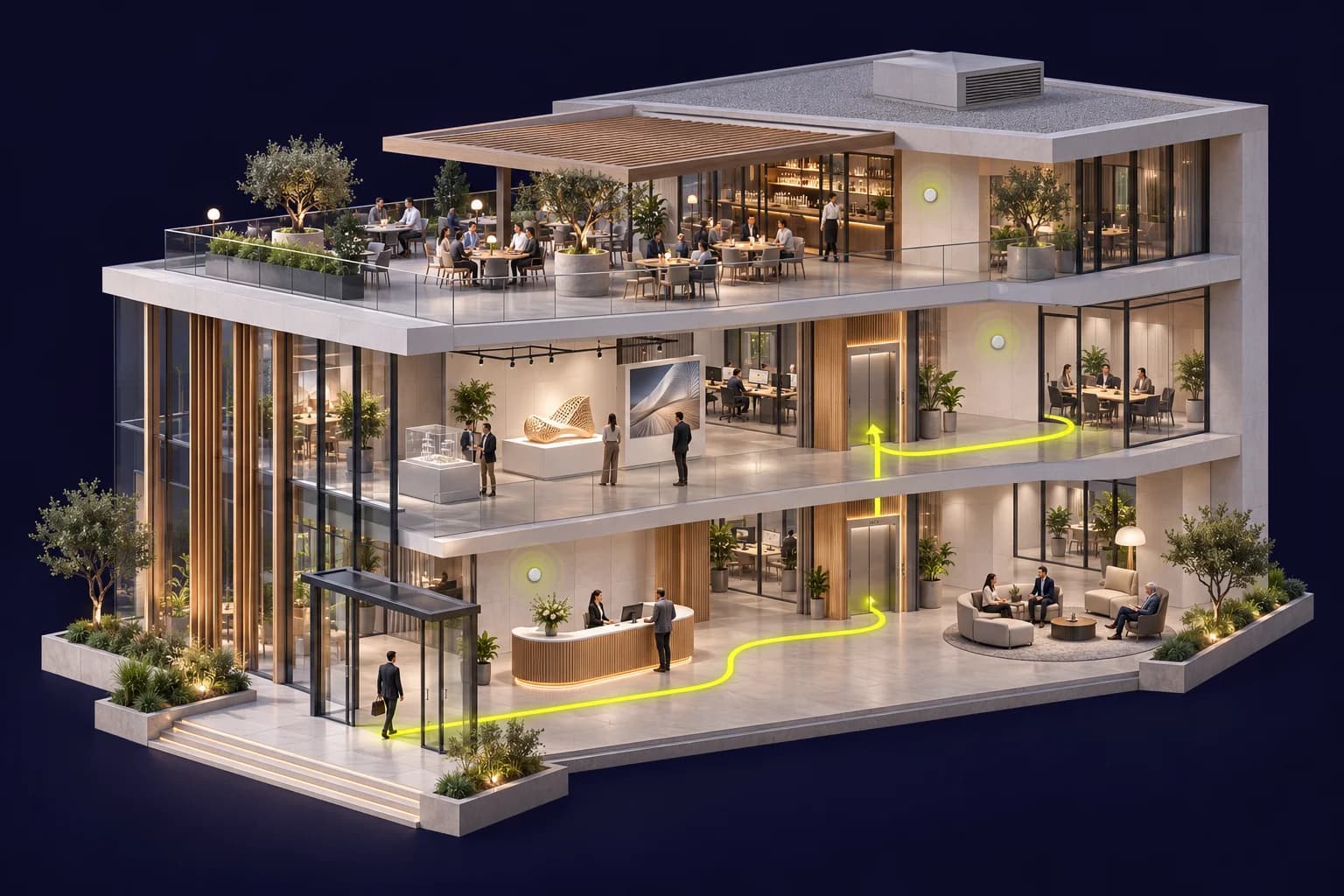
Equip your buildings with a complete visitor wayfinding solution. Buy the beacons selected and reprogrammed for our system, the mobile application, your venue maps and our on-site implementation services.
From hardware on your walls to directions on your visitor’s phone.
CODE CRUSH / INDOOR SYSTEM01 / WHAT YOU BUY
Indoor navigation combines hardware, software and detailed work on your building. Our proposal separates each part so you know what is supplied, installed and maintained.
A set of BLE beacons selected for the project, reprogrammed with our system identifiers and registered against your zones and floors.
You receive: the selected hardware, its inventory and configuration.
A branded iOS and/or Android experience that can read beacon advertisements and available movement indicators on the phone.
You receive: the agreed application scope and its compatibility matrix.
2D or 2.5D plans, buildings, floors, points of interest and connections. Routes reflect surveyed passages and approved access rules.
You receive: structured plans, destinations and the selected routes.
Surveys, beacon placement, calibration, field testing, training and maintenance. One partner connects the hardware to the visitor experience.
You receive: acceptance evidence and an operating scope.
02 / HARDWARE IS PART OF THE OFFER
BLE beacons / illustrative hardware
Bluetooth beacons are physical devices purchased and installed inside your buildings. They broadcast advertisements recognised by our application. We prepare their configuration before installation; visitors do not have to configure them.
The quote identifies the model, quantities, mounts and hardware cost.
We prepare identifiers and link each beacon to a location, zone and floor.
We check reception on the agreed devices and adjust placement during the pilot.
Quantity and battery life depend on the building, model and settings. They are sized after assessment; one beacon per floor is not a coverage rule.
03 / THE PHONE BECOMES A NAVIGATION TOOL
A web map lets people browse a venue. To use Bluetooth and phone sensors, we use a native application. The engine compares observations with the plans and surveyed references instead of treating a received signal as a reliable position on its own.
NATIVE APPLICATION
Demonstration interface and illustrative signals. This page does not read your sensors or locate your phone.
Illustrative signals
Select a destination and explore the floors. Bluetooth references appear on the map.
Survey and calibration tools prepare the site; the visitor experience is adapted to your brand. The iOS/Android scope, permissions, foreground operation and distribution method are defined for your project.
Identified beacons advertise inside the building.
The app receives Bluetooth and available phone indicators.
The engine compares measurements with references and the map.
Visitors view their floor, destination and available directions.
04 / USE CASES THAT MAKE THE INSTALLATION USEFUL
Help customers find a shop, service, lift or exit from covered zones. The project combines a destination directory, floor plans and Bluetooth placement suited to circulation through the venue.
Connect reception, restaurants, meeting spaces and services. Content, languages and routes reflect your guests’ experience, with private zones and access restrictions approved by operations.
Guide visitors to a building, meeting room or reception point. Tool integration and any authentication are scoped separately, along with spaces accessible to the public or employees.
Help people find a gallery, exhibition or service. Destinations and routes can evolve with the programme; content and map updates are included in the agreed support scope.
Prepare an experience connecting buildings, indoor floors and outdoor maps. Transitions between contexts are surveyed and tested for the chosen devices and integrations.
WORK IN PROGRESS / BÀ NÀ HILLS
Preparation work around Bà Nà Hills brings together practical challenges: outdoor maps, building and floor exploration, survey tools and native testing applications. It informs our approach to mapping, calibration and route validation.
Project in preparation. Prototypes and studies do not establish full coverage or positioning performance accepted on site.
05 / CHOOSE WHAT TO PURCHASE
Commission a first zone, a wider installation after validation, then ongoing operations. Each proposal identifies hardware purchases, initial services and recurring costs.
Validate one building or representative zone before expanding.
A detailed pilot budget with hardware and services identified.
Plan my pilotEquip selected buildings and floors using the pilot findings.
An initial investment based on the venue and integrations.
Quote the rolloutKeep maps, devices and the application usable over time.
Recurring fees and defined service levels.
Organise ongoing supportPricing separates the different cost items. Beacon quantities depend on coverage; software cost depends on scope and integrations. A price per square metre alone cannot capture the project.
Together we define test routes, zones, devices and acceptance thresholds: position availability, floor errors, measured accuracy when positioning is included, behaviour with insufficient signals and successful journeys. Findings are documented before the rollout decision.
06 / QUESTIONS BEFORE YOU BUY
Yes. BLE beacons are part of the equipped indoor navigation installation. The quote identifies the selected model, quantities, programming, installation and maintenance responsibilities. The pilot validates placement before a larger order.
We prepare the beacon configuration for our system: identifiers, association with the venue registry and settings supported by the chosen model. This is hardware preparation, not a claim of proprietary firmware or a task for visitors.
Web pages can display maps. Depending on the system and permissions, the native experience can access iBeacon advertisements and movement, orientation and pressure indicators. We define the functions available on the devices actually selected.
Accuracy depends on the venue, references, signals, placement and devices. It is measured at known positions during the pilot. Acceptance thresholds are agreed before testing; no universal accuracy in metres is claimed without field evidence.
Receiving a beacon does not establish an exact position on its own. Our approach compares signals with venue references and phone indicators. Ambiguity must be reported rather than displayed as certainty.
Yes, scope can include multiple spaces. Maps, beacon identifiers, floor connections and access rules are organised by building. Coverage, transitions and routes are validated zone by zone.
These depend on walls, materials, circulation and the selected model. Transmit power and advertising interval also affect reception and consumption. We identify assumptions in the quote and check them during the pilot.
We assess available plans, their scale, currency and usage rights. File conversion, additional surveys, languages, APIs and authentication are identified work packages. Data collection and retention are scoped with your teams.
The offer includes agreed handover and training. A contract can cover corrections, map updates, equipment follow-up and support. New buildings, major changes and hardware replacements are specified or quoted separately.
Tell us the venue type, buildings, floors, existing plans and journeys to improve. We prepare a pilot scope, an indicative equipment list and a proposal separating initial investment, options and operating costs.
YOUR INSTALLATION / A PRACTICAL PROPOSAL
Your request is for an equipped solution: Bluetooth beacons, a native app, maps and services. These details help us prepare a useful first discussion and quote scope.